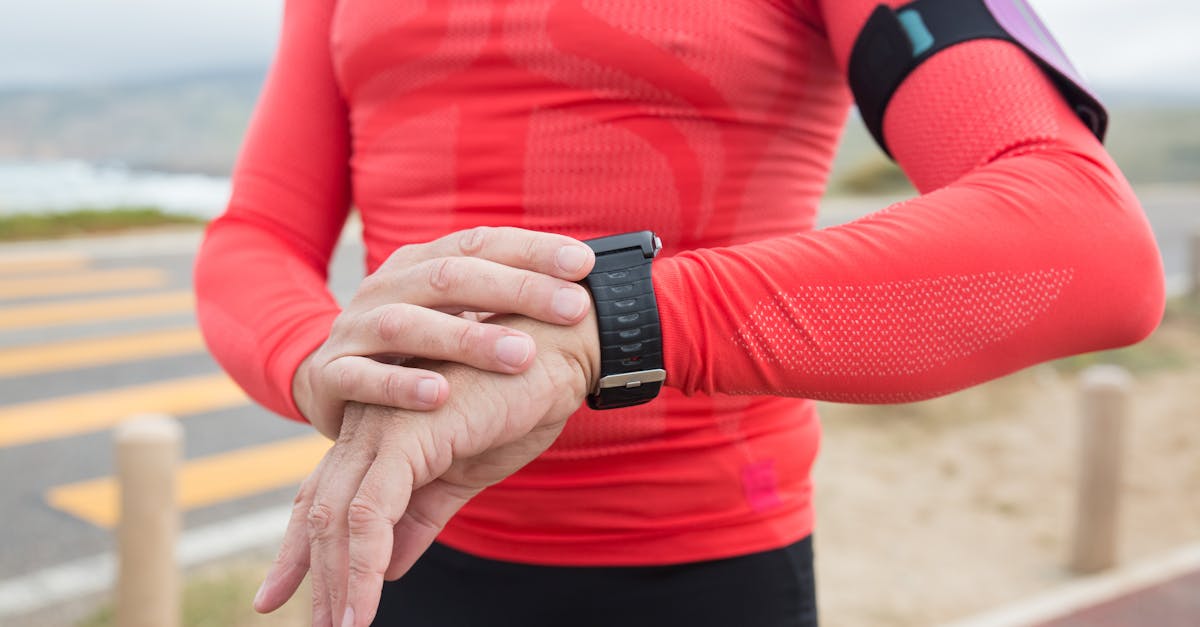
If your GPS watch says your flat neighborhood loop climbed 900 feet, or your trail run shows half the elevation gain your friend recorded, the watch is not necessarily broken. Elevation is one of the messier metrics in running tech because watches estimate it from a mix of barometric pressure, GPS position, and elevation databases.
The fix is usually boring in the best possible way: calibrate the watch, start with a clean GPS lock, clean the barometer port if your model has one, and understand when your app is replacing the original elevation data from the watch.
If you are shopping instead of troubleshooting, start with our guide to whether you need a barometric altimeter in a running watch. It explains when the sensor is worth paying for and when GPS-only elevation is good enough.
This guide walks through the practical fixes first, then explains when the problem is normal GPS noise, when it is a settings issue, and when it is time to upgrade to a watch with a real barometric altimeter.
Quick Fix Checklist
Try these in order before you delete workouts, factory reset the watch, or assume the altimeter is dead:
- Start outside with a clear sky for a few minutes. Apple notes that GPS accuracy improves as more satellites become visible, and obstructions like buildings, vehicle roofs, mountains, and walls can block the signal.
- Calibrate elevation before hilly or trail workouts. Garmin, COROS, and Polar all recommend calibration when accurate elevation matters.
- Use a known elevation point if you have one. Trailhead signs, survey markers, sea level, or a reliable topographic map are better references than guessing.
- Clean the barometer/altimeter sensor port. Mud, sunscreen, sweat salt, and pool residue can block the tiny pressure port on watches with barometric altimeters.
- Check whether your app changed the data. Strava may use the barometric data from the original activity file or recalculate elevation from its own basemap depending on the device and activity.
- Compare the same route over several runs. One weird day can be weather, GPS obstruction, or a bad lock. Repeatable drift on every activity points toward calibration, dirt, or hardware.
- Update firmware and sync fully. Watch makers often improve sensor handling and post-workout corrections through software updates.
Why GPS Watch Elevation Goes Wrong
Distance and elevation are not measured the same way. A watch can track your route distance well and still report bad climbing data.
Most running watches use one of three elevation methods:
| Elevation method | What it uses | Strength | Weakness |
|---|---|---|---|
| GPS elevation | Satellite position | Works without a barometer | Noisy vertically, especially near buildings, trees, cliffs, and switchbacks |
| Barometric altimeter | Air pressure sensor | Better for changes in ascent/descent during a workout | Weather, blocked ports, and poor calibration can shift the baseline |
| Database correction | Map/elevation model from an app | Can clean up activities from devices without barometers | Depends on route matching and local map quality |
Garmin describes barometric altimeter accuracy as dependent on proper calibration. COROS says its watches combine GPS and an internal barometer, with the barometer converting air pressure into elevation and periodic GPS checks helping recalibrate the result. Polar says its supported devices measure altitude with an atmospheric pressure sensor and recommends manual calibration when you know your current altitude.
Translation for runners: your watch is estimating the vertical profile, not reading a perfect ruler from the sky.
First, Diagnose the Pattern
Before changing settings, look at the shape of the error.
The Start Elevation Is Wrong, But the Climbing Looks Reasonable
This usually means the watch needs calibration. If the route profile has the right hills in the right places but starts 200 feet too high or low, the barometer baseline is off.
Fix: manually calibrate elevation at the start of the run, or enable automatic calibration if your watch offers it. For races, trail runs, and workouts where elevation matters, do this before pressing Start.
Total Ascent Is Way Too High on a Flat Run
This often means pressure noise is being counted as climbing, GPS is jumping around, or the barometer port is contaminated. It can also happen when a windy jacket sleeve or tight wrist position interferes with the pressure port.
Fix: clean the sensor port, wear the watch normally exposed to air, and test on a known flat route. If the watch keeps inventing hundreds of feet on flat routes, contact the manufacturer.
Elevation Drifts Up or Down Through the Whole Activity
A slow climb or drop on an out-and-back route that starts and ends at the same place is classic barometric drift. Weather pressure can change during a run, and a blocked or wet port makes this worse.
Fix: calibrate before the run, let the watch dry after swimming or washing, and compare the recorded start and finish elevation on a loop.
Strava, Garmin Connect, Apple Fitness, and COROS Do Not Match
This is normal. Strava explains that elevation is calculated from different sources depending on the device and activity: if the device has a barometric altimeter, Strava can use elevation data from the original file with smoothing; if not, it can look up elevation from its basemap.
Fix: decide which number you trust for your training log and stay consistent. Do not compare weekly climbing totals across apps unless you know they are using the same elevation source.
How to Fix Elevation on Garmin Watches
Garmin models with barometric altimeters, including many Forerunner, fenix, epix, Enduro, Instinct, Venu, and vivoactive models, can drift if the altimeter is not calibrated or if the pressure port is dirty.
Garmin Checklist
- Calibrate at the start of the run. On many Garmin watches, look for
Settings > Sensors & Accessories > Altimeter > Calibrate. Exact menu names vary by model. - Use DEM or GPS calibration when available. Some Garmin watches can calibrate from GPS or digital elevation model data.
- Clean the barometer sensor port. Garmin support pages for altimeter troubleshooting recommend cleaning when readings are significantly off. Use fresh water and avoid poking objects into sensor holes.
- Turn on elevation corrections after upload if needed. Garmin Connect can use map-based elevation corrections on some activities, especially when the device does not have a barometric altimeter or the barometric data looks wrong.
- Test a known loop. Start and finish in the same place. If the start and end elevation are still far apart after calibration and cleaning, the sensor may need service.
For buying decisions, the important part is simple: if elevation gain matters for trail running, hill workouts, hiking, or ultra training, buy a model with a barometric altimeter. Entry watches that rely more heavily on GPS elevation can be fine for pace and distance but less reliable for ascent.
For a fuller buying framework, read do you need a barometric altimeter in a running watch?.
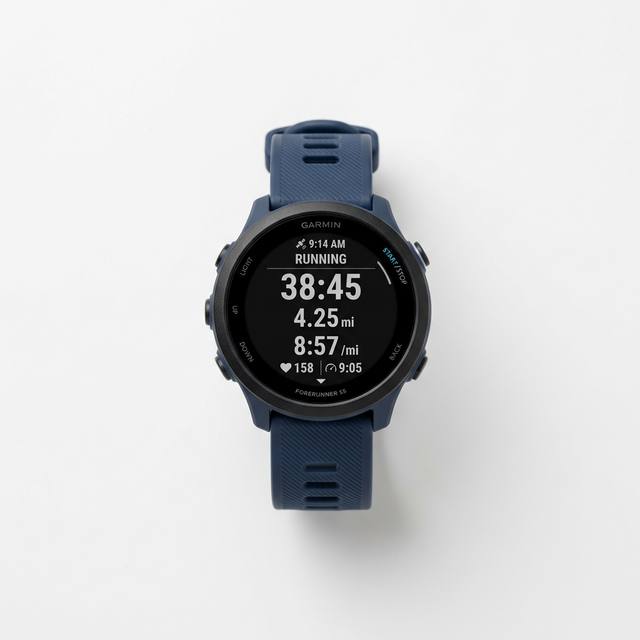 Best Fix-Friendly Garmin
 Garmin
Garmin Forerunner 165
A strong value Garmin with a barometric altimeter, AMOLED display, and enough running metrics for most road and trail runners.
How to Fix Elevation on Apple Watch
Apple Watch handles elevation differently than a dedicated trail watch, and the exact behavior depends on your model, workout type, phone pairing, and location settings. Apple says calibration can improve distance, pace, and calorie accuracy and helps the watch learn your stride when GPS is limited or unavailable.
Apple Watch Checklist
- Check Location Services. On iPhone, go to
Settings > Privacy & Security > Location Servicesand make sure Location Services is on. - Enable Motion Calibration & Distance. Apple specifically lists this under
Location Services > System Services. - Do a calibration run or walk. Apple recommends going to a flat, open outdoor area with clear GPS reception and doing an Outdoor Walk or Outdoor Run for about 20 minutes.
- Give GPS time to settle. If you start under a parking garage, downtown building, or dense tree cover, your first minutes can be messy.
- Reset calibration data only after settings are correct. In the Watch app, use
My Watch > Privacy > Reset Fitness Calibration Data, then repeat the outdoor calibration session.
If you use an older Apple Watch that borrows iPhone GPS when the phone is nearby, the phone position matters. A phone in a pack, pocket, or stroller can produce different GPS behavior than a watch worn on the wrist.

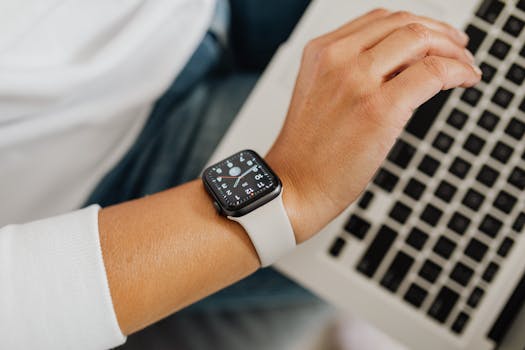
Apple
Apple Watch Ultra 2
Best for runners who want strong GPS, safety features, cellular options, and full smartwatch tools in one device.
How to Fix Elevation on COROS Watches
COROS support says its watches use GPS plus an internal barometer to calculate elevation, and that GPS periodically checks and recalibrates the barometer. COROS also recommends regular elevation calibration during daily tracking, either by GPS or by entering elevation manually.
COROS Checklist
- Open the calibration menu. COROS lists the path as
Main watch face > System > Sensors > Calibration > Elevation. - Use GPS calibration in an open field. COROS specifically recommends standing in an open field when using GPS to calibrate elevation.
- Enter exact elevation when you know it. Manual entry is best at a trailhead, track, beach, or known landmark.
- Watch for weather swings. COROS notes that humidity and air pressure changes can affect barometric readings.
- Compare watch data and app data. COROS says differences between device elevation and COROS app/Training Hub elevation can happen when GPS calibration overrides barometer data.
 Best Value
 COROS
COROS PACE 3
Lightweight, long battery life, dual-frequency GPS, and manual elevation calibration at a midrange price.
How to Fix Elevation on Polar Watches
Polar says supported devices measure altitude with an atmospheric pressure sensor and convert air pressure into altitude. On the Vantage V3, Polar says barometric altitude is automatically calibrated twice via GPS during the first minutes of a session, and that early-session readings can be inaccurate before calibration finishes.
Polar Checklist
- Manually calibrate when you know the current altitude. Polar recommends this for the most accurate altitude readings.
- Let the first minutes settle. On supported watches, GPS calibration can correct early barometric readings after the session syncs.
- Keep the watch clean. Polar explicitly warns that mud and dirt can cause inaccurate altitude readings by blocking the air pressure sensor area.
- Use Flow after syncing. Some corrected altitude data is easier to evaluate after the workout has synced to Polar Flow.
When to Use Elevation Correction in Apps
Elevation correction can be helpful, but it is not magic. Use it when:
- Your watch does not have a barometric altimeter.
- A known bad activity has an obviously wrong gain total.
- The GPS track is clean and follows the actual road or trail.
- You want a consistent database-based number for route planning.
Be careful when:
- You ran under cliffs, in canyons, or on tight switchbacks where map matching may choose the wrong nearby trail.
- The activity file from a good barometric watch looks reasonable.
- You are comparing official race-course elevation to app estimates.
For training, consistency matters more than perfection. If you always use device elevation in Garmin Connect, keep using that. If you always rely on Strava corrected elevation for weekly climbing, stick with that. Mixing sources makes your trend line noisy.
When Inaccurate Elevation Is Normal
Some situations are just hard for wrist devices:
- Urban canyons: tall buildings block satellites and reflect GPS signals.
- Tree-covered trails: canopy reduces signal quality and can make the track wander.
- Cliffs and switchbacks: tiny horizontal GPS errors can map you to a much higher or lower nearby point.
- Storm fronts: fast pressure changes can make barometric altitude drift.
- Pool swimming and showers: water or residue near the pressure port can temporarily affect readings.
- Cold-to-warm transitions: big temperature shifts can change pressure-sensor behavior for a few minutes.
If you run the same route every week and one activity is wildly off, chalk it up as a bad recording and use app correction. If every activity is wrong, troubleshoot the watch.
When to Upgrade Your Watch
Upgrade for elevation accuracy if your current watch lacks a barometric altimeter and you regularly care about ascent totals. That usually means trail running, hiking, mountain races, ultra training, ski touring, or cycling in rolling terrain.
You probably do not need to upgrade if you mostly run roads, tracks, treadmills, or flat bike paths. For those workouts, distance, pace, heart rate, and workout structure matter more than a perfect ascent number.
Look for these features in your next watch:
| Feature | Why it matters |
|---|---|
| Barometric altimeter | Better ascent/descent tracking than GPS-only elevation |
| Manual elevation calibration | Lets you set a known starting point before races and trail runs |
| Multi-band GPS | Helps route accuracy near buildings, trees, and cliffs |
| Good app correction tools | Lets you repair obvious bad files after upload |
| Long GPS battery life | Keeps full tracking modes available on long mountain days |
For more buying help, start with our best GPS watches for runners, best GPS running watches under $200, and Garmin vs Apple Watch for runners guides.
Recommended Watches If Elevation Matters
Best Value for Most Runners: Garmin Forerunner 165
The Forerunner 165 is a practical step up from basic GPS-only running watches because it includes a barometric altimeter, the Garmin training ecosystem, and a readable AMOLED display without jumping to premium pricing.
Best Battery Value: COROS PACE 3
The PACE 3 is a strong choice if you want long battery life, lightweight build, dual-frequency GPS, and clear manual elevation calibration controls. It is especially appealing for runners who care more about recording workouts than smartwatch extras.
Best Smartwatch Hybrid: Apple Watch Ultra 2
The Ultra 2 is the better pick if you want a serious smartwatch with strong GPS, cellular, emergency tools, maps, music, Apple Pay, and good workout tracking. It is less of a pure training watch than a Garmin or COROS, but it is a more complete daily device.
FAQ
Why does my GPS watch show different elevation gain than a friend records?
Different watches may use different sensors, calibration points, smoothing algorithms, and post-workout corrections. One device may use barometric data while another uses GPS elevation or an app database. Compare the route shape first, not just the final ascent number from a friend.
Is barometric elevation always better than GPS elevation?
Not always, but it is usually better for tracking relative ascent and descent during a run. Barometers can drift when weather changes or when the sensor port is blocked. GPS elevation can be noisy vertically. The best watches combine barometer data with GPS or map calibration.
Should I trust Strava elevation or my watch elevation?
If your watch has a calibrated barometric altimeter and the route profile looks reasonable, the watch file is often the better training record. If your device does not have a barometer, or the file is obviously wrong, elevation correction in Strava can be useful. Pick one method and use it consistently for trends.
Can a dirty watch really ruin elevation data?
Yes. Polar warns that mud and dirt can cause inaccurate altitude readings, and Garmin support pages for altimeter troubleshooting include cleaning the barometer sensor port. Anything that blocks the pressure port can interfere with a barometric altimeter.
Why is elevation wrong in the first mile?
The watch may still be settling GPS, calibrating the barometer, or learning its starting elevation. Apple says GPS accuracy improves as more satellites become visible, and Polar notes that some watches calibrate barometric altitude via GPS during the first minutes of a session.
Do I need multi-band GPS to fix elevation?
Multi-band GPS can improve route accuracy in hard environments, but it does not replace a barometric altimeter. If your biggest problem is ascent and descent on trails, prioritize a barometer plus calibration controls. If your map track also wanders badly, multi-band GPS helps.
What should I do before a hilly race?
Charge the watch, update/sync it the day before, clean the sensor area, arrive early, stand outside with a clear sky, and manually calibrate elevation at the start if your watch supports it. Use the race course profile for strategy rather than expecting your watch to match the official gain perfectly.
Sources
- Garmin Support: Elevation Accuracy of Outdoor and Fitness Devices With Barometric Altimeters
- Garmin Support: Troubleshooting the Barometer and Altimeter
- Apple Support: Calibrate your Apple Watch for improved Workout and Activity accuracy
- Apple Support: About privacy and Location Services in iOS, iPadOS, and watchOS
- COROS Help Center: How COROS Devices Measure Elevation
- COROS Help Center: Interpreting Elevation Readings and External Influences
- Polar Support: Altitude measurement
- Polar Vantage V3 User Manual: Barometer
- Strava Help Center: Elevation
Related Articles
How we evaluate: We combine manufacturer documentation, independent user feedback, and parent-focused criteria like safety, durability, ease of use, and long-term value.
Accuracy note: Pricing and product availability can change. Verify details on the retailer site before purchase.
Affiliate Disclosure: Sports Gadget Review is a participant in the Amazon Services LLC Associates Program. When you purchase through links on this page, we may earn a commission at no extra cost to you. Editorial recommendations are made independently.